NVMe drives expose a standardized health log with fields that differ from many older HDD attributes. CrystalDiskInfo presents these fields in a familiar table, but the meaning is NVMe-specific.
| ID / Field | Attribute | Meaning | Watch |
|---|---|---|---|
| Critical Warning | Critical Warning | Flags serious conditions such as spare below threshold, reliability degradation or read-only state. | Any critical warning deserves prompt attention. |
| Composite Temperature | Composite Temperature | Device-reported temperature from one or more sensors. | Compare to model specifications and throttling behavior. |
| Available Spare | Available Spare | Remaining spare capacity as reported by the device. | Low spare can trigger warnings. |
| Available Spare Threshold | Available Spare Threshold | Vendor threshold for spare capacity warning. | Crossing the threshold can set a critical warning. |
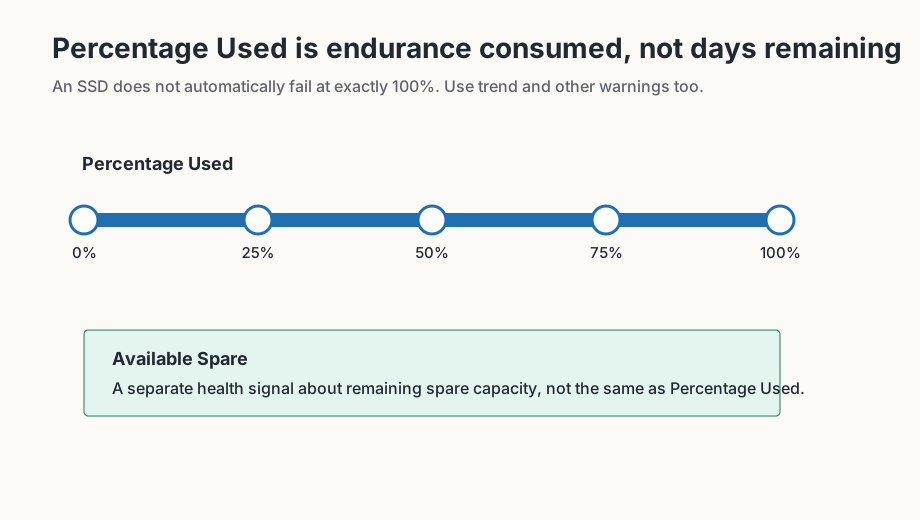
| Percentage Used | Percentage Used | Estimated consumed endurance relative to design. | It is not a countdown timer expressed in days. |
| Data Units Read/Written | Data Units Read/Written | Cumulative host data movement in NVMe data units. | Useful for workload and endurance context. |
| Host Read/Write Commands | Host Read/Write Commands | Counts commands rather than bytes. | Context for workload patterns. |
| Controller Busy Time | Controller Busy Time | Time the controller was busy processing commands. | Mostly a workload context value. |
| Power Cycles / Power On Hours | Power history | Device power cycles and powered operating time. | Context, not an automatic failure verdict. |
| Unsafe Shutdowns | Unsafe Shutdowns | Shutdowns without normal notification. | Rising counts may indicate power or system stability issues. |
| Media and Data Integrity Errors | Media errors | Errors involving stored data or media integrity. | Any increase deserves careful attention. |
| Error Information Log Entries | Error log entries | Number of entries in the NVMe error log. | Use as supporting context; investigate repeated increases. |
Read NVMe values differently from HDD attributes
NVMe drives report a health log with different terms from classic HDD S.M.A.R.T. tables. Percentage Used describes consumed endurance relative to the device design. Available Spare describes reserve capacity. Critical Warning summarizes several critical conditions and should not be treated like an ordinary informational counter.
Data Units Read and Data Units Written help explain workload. They are not automatically warnings. Media and Data Integrity Errors and Error Information Log Entries deserve more attention when they appear or continue increasing. Read those values together with backups, temperature, firmware version and workload pattern.
What 100 percent does not mean
Percentage Used at 100 percent is not an exact moment when an SSD must fail. It means the estimated design endurance may have been reached or exceeded. Some drives continue beyond that point, while others can fail earlier because of controller, firmware, power or media problems.
- For Critical Warning, back up first and identify the specific reason.
- For rising Percentage Used, check workload, warranty and replacement planning.
- For increasing media errors or error-log entries, do not focus only on the percentage value.
- For temperature warnings, compare with manufacturer limits and cooling conditions.
When values seem contradictory
An NVMe drive can still show a good percentage while also reporting error-log entries or media errors. Conversely, a high write counter can be normal when no warning bits, media errors or spare-capacity problems appear. Read the health-log fields together instead of treating one number as the entire diagnosis.
Include workload and temperature
NVMe SSDs are sensitive to installation position, cooling and write workload. A drive under a graphics card, in a compact notebook or without a heat spreader can show different temperature behavior from the same model in a well ventilated desktop. High temperature alone is not an automatic failure verdict, but repeated operation near model limits can contribute to throttling, warnings or faster aging.
Put write counters in workload context. Many Data Units Written may be expected on a video-editing workstation, virtual-machine host or database system; the same pattern on a lightly used office PC would be more unusual. Context decides whether a value is expected or worth investigating.